Facebook Link Limits – Meta One Bullies Small Businesses

In yet another harsh blow to small business, Meta aka Facebook has decided to limit the number of links that Business pages can share down to just 2 per month. Yup, that’s it. You can only make/schedule 2 posts with external links every 30 days. That means no more links to your websites, products, events, sales, etc unless you are willing to open that wallet… wide. (Or, if you get a little clever.)
The opinions stated in this article are my own, and I have not received any sponsorship or free products from the aforementioned service providers. This post may contain affiliate links and purchases made using those links may support DFW Craft Shows at no additional cost to you.
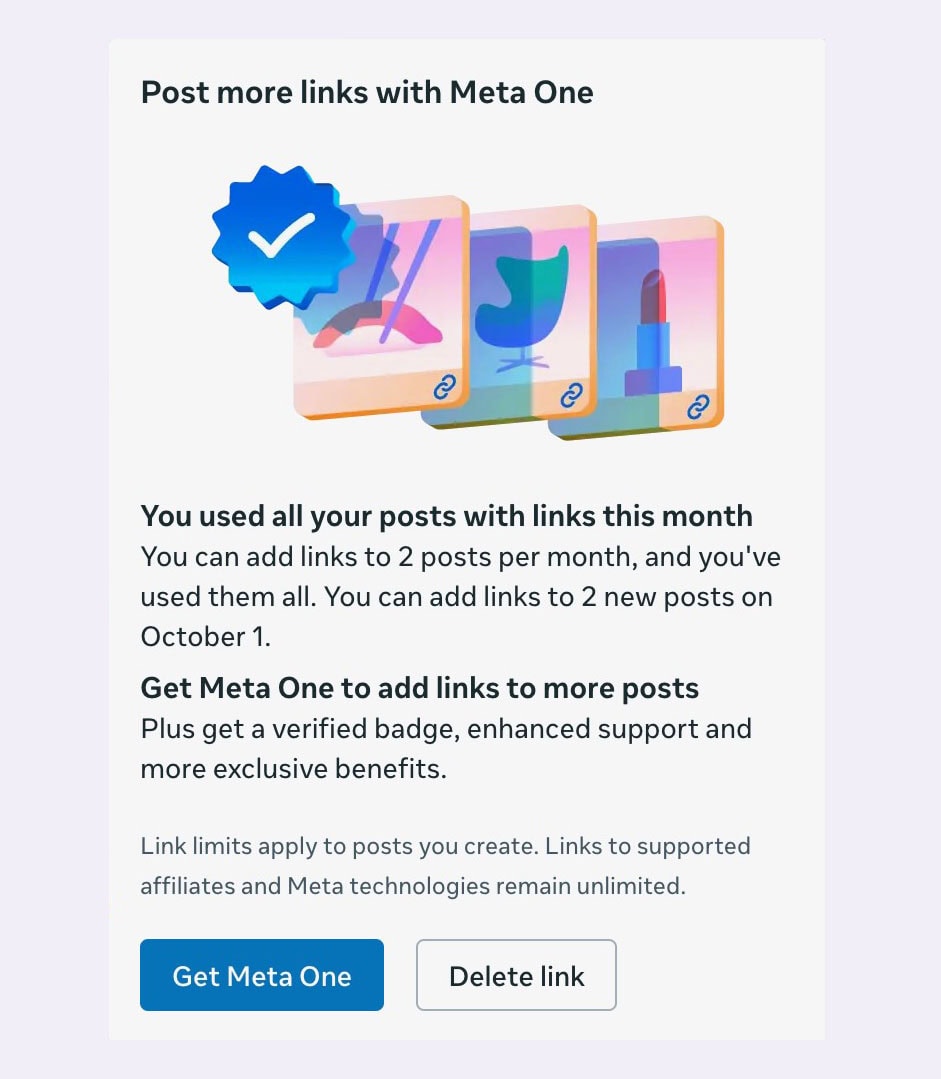
Facebook Link Limit: 2 per month
This Facebook Link Limit is slowly being pushed out to business accounts across Facebook, and everyone seems to agree: 2 links per 30 days isn’t much for a platform that is CONSTANTLY pushing their users to post more and more content. What is a business page to do?
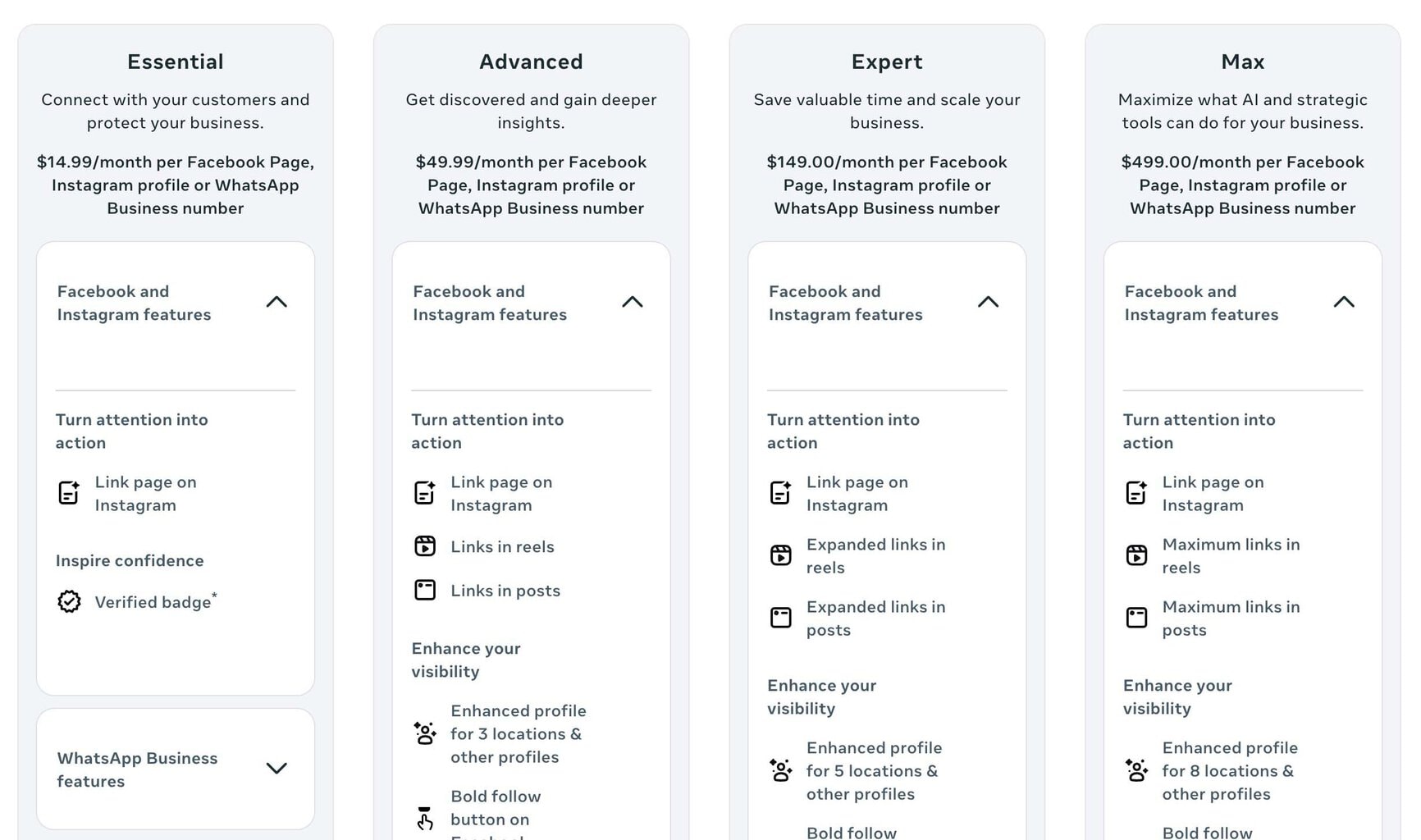
Facebook identified this link limit problem that they themselves fabricated and were quick to offer up a solution: Meta One. Meta One features several tiers to help “enhance” your experience and increase the number of links you can share per month.
Seems pretty straight forward, but, of course, it is not. Let’s take a look. From their Advanced Package and up, Facebook advertises that businesses will be able to include “links in posts.” Let’s focus on that feature since that’s why most of us are here in the first place.
Diving Deeper into Meta One
At first glance, it seems like the Advanced Package, at a hefty $50 a month, will restore your ability to share links in your posts. That’s what I thought too, but guess again!
I signed up for a free trial and found myself back against the Facebook link limit paywall a few hours later.
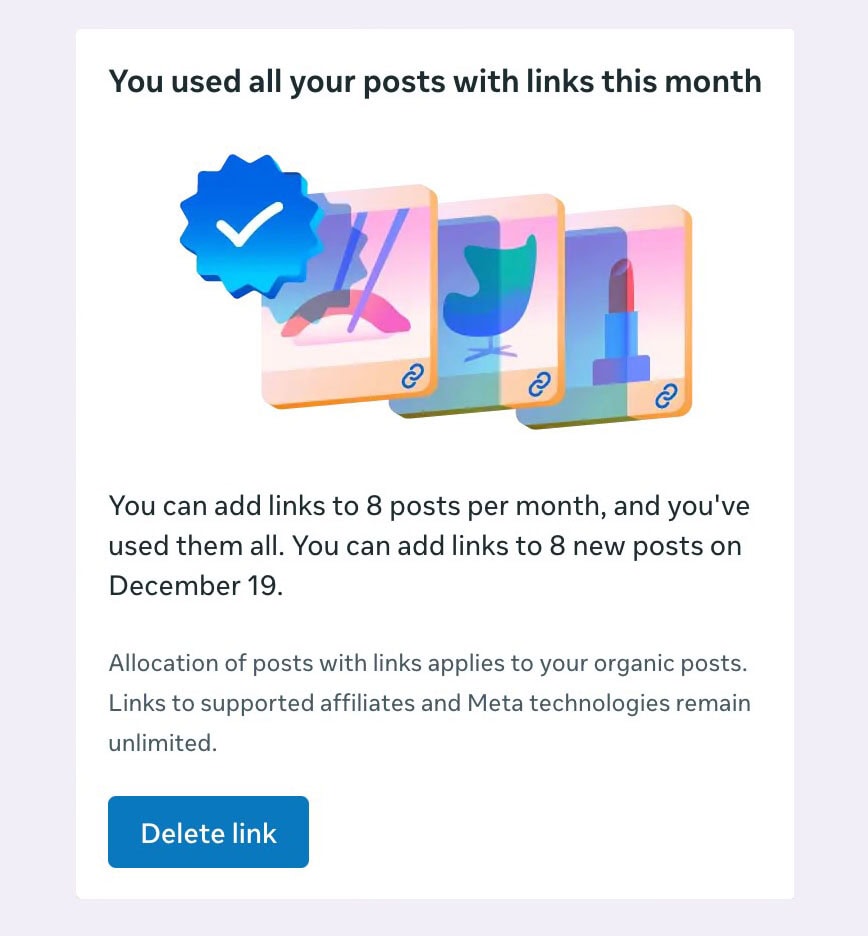
Apparently, the Advanced Tier of Meta One only provides business with 6 more links per month, for a grand total of 8. I used this up in a couple of hours, scheduling posts for less than one week–and for some reason, that total did not even reset for the next month. Or the month after that. According to the pop-up I shared below, I would not get more links until December (three months later).
Where does Meta One even explain that this Facebook link limit applies for the Advanced Package as well? It doesn’t. Unless you click on the text “Links in posts” on the screen above–which is in no way an obvious hyperlink and would fail most usability standards.
So how much would unlimited links cost?
They cost $500 a month. Yes, you read that right. In order to get your unlimited links back and be rid of that wretched Facebook link limit, you’ll need the Max tier of Meta One which costs nearly $500 A MONTH.

Yeah, right. So… now what?
Needless to say, most small businesses–mine included–do NOT an extra $500/month just laying around to fund something like this. So where does that leave us? I’ve spent all day exploring our options and I’m going to share those with you in hopes of saving you some time, energy, and money.

Here’s what we know so far
After multiple rounds of posting, commenting, and testing, I have some findings to share with you.
The Facebook link limit is being enforced on BUSINESS PAGES when they try to publish or schedule a post:
- to a page and/or group via Business Suite
- to a page via Facebook
The Facebook link limit does NOT seem to be enforced when posting or scheduling AS A BUSINESS:
- via a third party scheduler (I recommend SmarterQueue)
- directly inside a FB group thru their post or scheduling tools
You can also post via personal account in groups without encountering the Facebook link limit.

What does it all mean?
Well, it kind of boils down to this: Abandon Business Manager for your scheduling needs and find solutions that are working hard to support and lift up your small business rather than limit and tear it down.
If you only have a business page OR a group: there are some viable workarounds to the Facebook link limit in the section above that shouldn’t cost you too much extra time or money, if any.
However, if you have a Facebook Page *and* Facebook group(s): the new Facebook link limits mean either more work for you or more money out of your pocket. You can pivot to posting in multiple scheduling systems OR you can shell out a lot more money, monthly, to stay within the Meta ecosystem.
For me, the answer is easy. I have been really happy with SmarterQueue and its copious amount of features, which include automating the first comment (another great location for adding your links). It’s well worth the $25 a month to utilize such an excellent scheduling tool vs $50 – $500 a month for the limited, frequently broken tools that Meta One is trying to leverage.
Just FYI: This Meta One situation is being rolled out slowly. If you haven’t hit the paywall yet, just know it’s coming. Now is the time to start thinking about what your pivot looks like so you aren’t so blindsided when the Facebook link limits show up.
Good luck out there, friends!
Originally posted on September 21, 2026.
share




Hi, I'm Tania!
Thanks for stopping by DFW Craft Shows! Our blog is home to tons of creative inspiration, gift guides, tutorials, featured artists, and tips for small businesses trying to make their mark in the arts & crafts world.